Product sections
A product section displays items that users can purchase directly from the page. Use it to surface the right offers at the right time and reduce clicks to checkout. Pair Standard mode for always-on items with Featured mode for targeted recommendations that adapt to each customer without rebuilding the page.
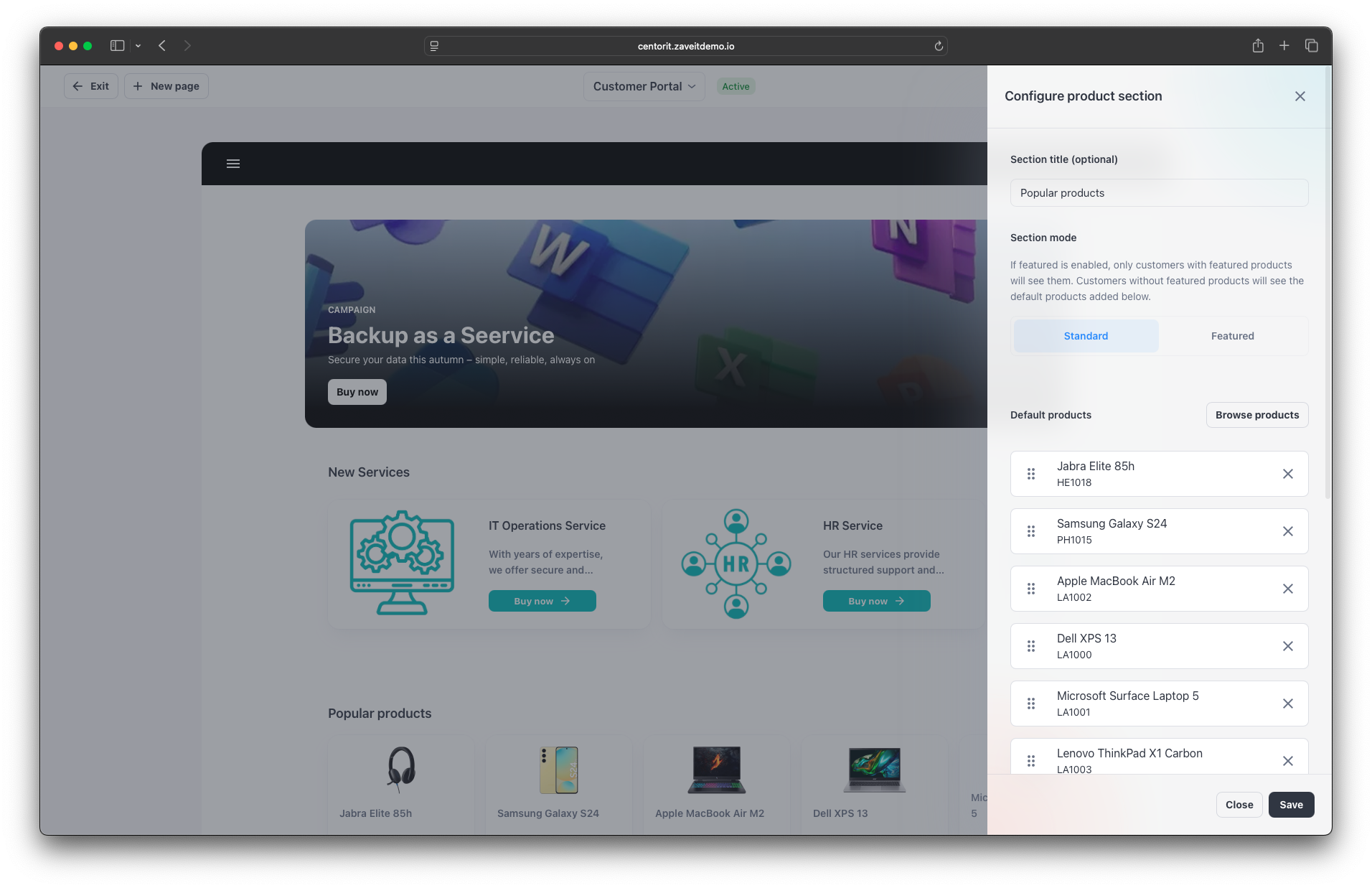
Add a product section
- In the Page Builder, click New section → Product section.
- Choose Section mode:
- Standard: shows default products configured in the builder.
- Featured: shows the customer’s personal featured products; falls back to defaults if none.
- Click Browse products, select items, and Add selected.
Use Featured mode to tailor products by customer segment or industry.
Product images
The image shown on each product card comes from the product itself — there is no separate "featured" image to upload here. Upload product images once at the size recommended in Product Images (1280 × 960 px, 4 : 3); the featured card shows the image letterboxed so the same source works in the webshop and on the home page. See Image guidelines → Featured product images for details.