Service sections
A service section displays services users can purchase directly from the page. Use it to bring core services forward and make discovery effortless. Combine Standard mode for staple offerings with Featured mode to tailor recommendations per customer, helping users move from interest to adoption faster.
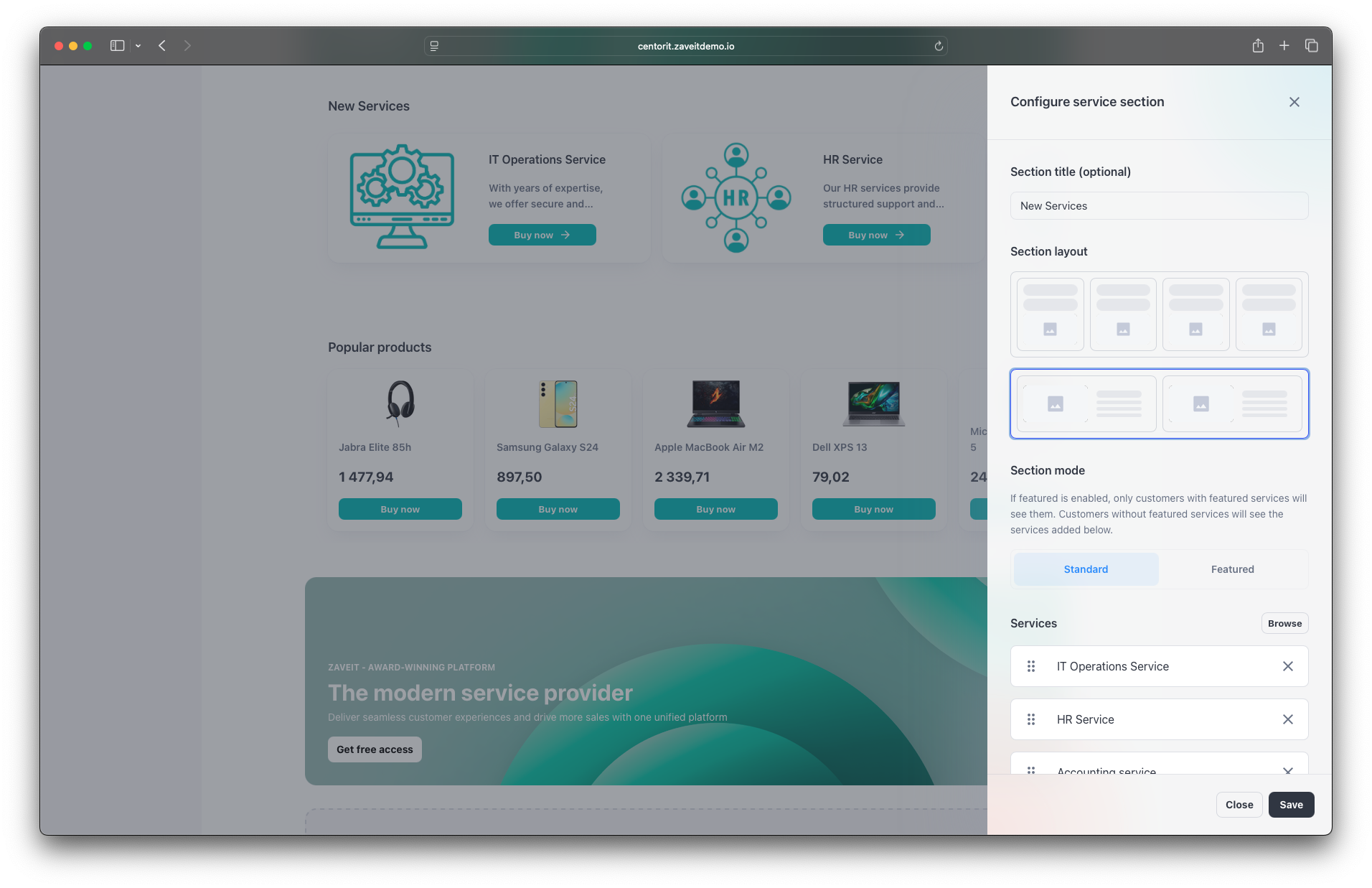
Add a service section
- In the Page Builder, click New section → Service section.
- Choose Section mode:
- Standard: shows default services configured in the builder.
- Featured: shows the customer’s personal featured services; falls back to defaults if none.
- Click Browse services, select items, and Add selected.
note
Use Featured mode to tailor services by customer segment or industry.
Service images
The image shown on each service card comes from the service itself — there is no separate "featured" image to upload here. Both the column and wide / row layouts render the image as a square (1 : 1), so upload service images at 800 × 800 px. See Service media for how to set the image on a service, and Image guidelines → Featured service images for the full recommendations.